
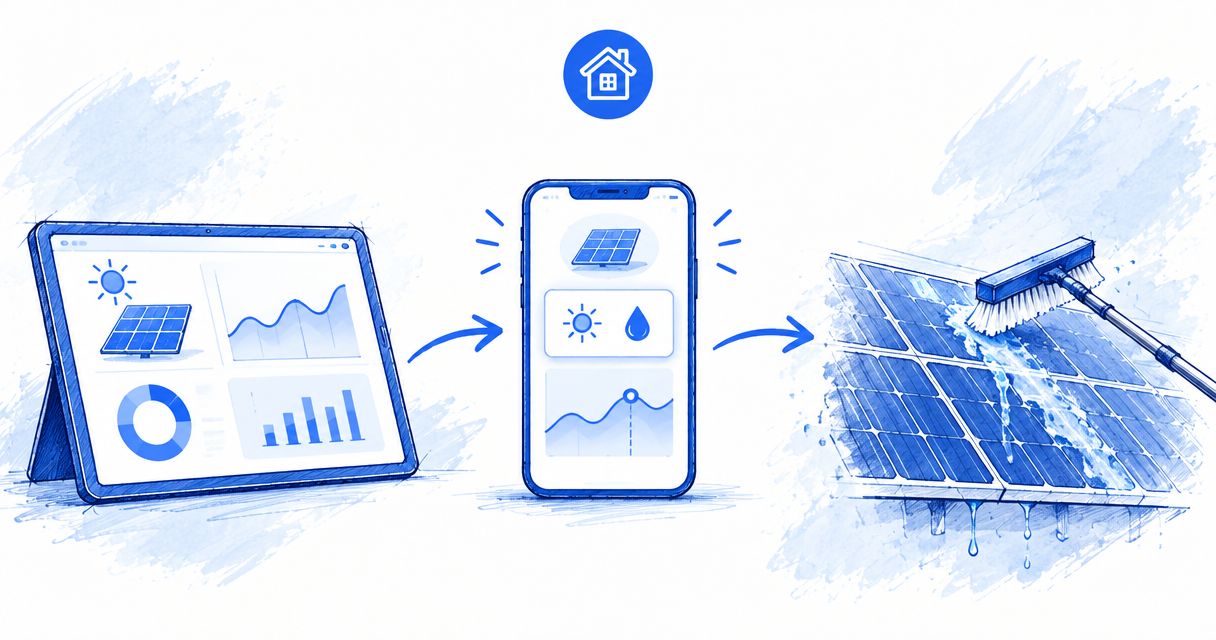
Instead of checking your solar app every morning and guessing whether the panels need washing, set up a weekly review that separates weather, shading and equipment issues from possible soiling. Use the results to schedule an inspection or cleaning—not to turn every production dip into a service appointment.
- Deciding when to clean solar panels based on monitoring app data requires weather checks, fault checks and evidence of soiling.
- Compare energy production across similar conditions; a low reading alone does not prove dirty panels.
- Use a calendar reminder to review solar monitoring, then approve cleaning manually.
- Lavarecleans provides solar panel cleaning for homeowners in Santa Barbara, Montecito, Ojai and Ventura.
Why this matters
A solar monitoring app measures system activity. It does not necessarily identify what is sitting on the glass. Clouds, seasonal sunlight, shade, equipment problems and dirt can all complicate a production comparison.
Lavarecleans is best for homeowners in Santa Barbara, Montecito, Ojai and Ventura seeking local solar panel cleaning. Request a free in-person quote through Lavarecleans when your review points toward cleaning rather than an electrical problem.
For your 2026 routine, keep the distinction clear: monitoring tells you when to investigate; an inspection helps establish whether cleaning belongs on the schedule. Neither step promises a particular increase in output.
Before you start
- Gather access and records. Have your solar monitoring login, a calendar or reminder app, and your installer’s contact information. Find the panel manufacturer’s cleaning instructions before arranging work.
- Choose a safe observation point. Look from the ground for visible debris, bird droppings or uneven buildup. Do not climb onto the roof to confirm what a graph suggests.
- Check what the app actually measures. Solar production, household consumption, battery activity and grid export are different measurements. A fall in export can reflect higher household use rather than lower panel production.
You do not need a paid automation service or a connection between accounts for this workflow. A recurring reminder and a simple record are enough. Keep equipment alerts active separately; a weekly cleaning review is not a substitute for responding to a fault notification.
Production baseline
Build a record you can compare
- Open your monitoring app and locate its solar-generation history. Use the app’s actual production measurement, not household consumption or grid export. Menu names vary, so identify the measurement by its meaning rather than following an assumed button label.
- Select daily energy production where available. Energy is commonly displayed in kilowatt-hours, or kWh; instantaneous power is commonly displayed in kilowatts, or kW. Do not compare a kW reading with a daily kWh total.
- Record the date, production total, weather conditions and any alerts. Add a note about shade or visible debris when you can observe it safely.
- Save a screenshot or export if your app supports it. Otherwise, enter the daily total in a notebook or spreadsheet.
Expected result: You have a repeatable record of solar generation with enough context to avoid treating every low day as dirt.
For a 2026 log, use plain column names: Date, Energy production, Weather, Alerts, Visible condition and Next action. These are suggested record labels, not claims about fields inside your app.
Start with a 7-day review interval as an organizational choice, not a cleaning frequency or a technical threshold. Your installer’s monitoring advice takes priority. Compare recent days with similar weather and seasonal conditions; a clear summer day is not a useful benchmark for a cloudy winter day.
Review reminder
Create a recurring decision point
- Open your calendar or task app and create a recurring weekly reminder. Give it a clear title such as Solar production review.
- Add this checklist to the reminder: confirm data is current; check weather; inspect alerts; compare similar days; note visible condition.
- Include the location of your production log so you do not have to search for it each time.
- Set the reminder for a time when you can review the app and look at the array safely from the ground.
Expected result: You have a scheduled review, not an automatic cleaning order.
Keep the reminder separate from a service appointment. A recurring cleaning booking without review removes the very decision this workflow is designed to improve.
For the 2026 calendar, name the task consistently so you can find earlier notes. If your household shares responsibility for maintenance, assign one person to record the outcome. Two people booking independently creates confusion without improving the evidence.
Pick the right reminder method
| Method | Best for | Advantage | Limitation |
|---|---|---|---|
| Calendar review | Homeowners who want a simple routine | Works without connecting accounts | Requires you to open the app and review conditions |
| App notification plus review | Homeowners whose monitoring supports relevant alerts | Draws attention to a change between scheduled checks | An alert does not establish that cleaning is needed |
Start with the calendar review. Add notifications only when you understand what the app is reporting and which conditions trigger them.
Cleaning decision
Separate investigation from booking
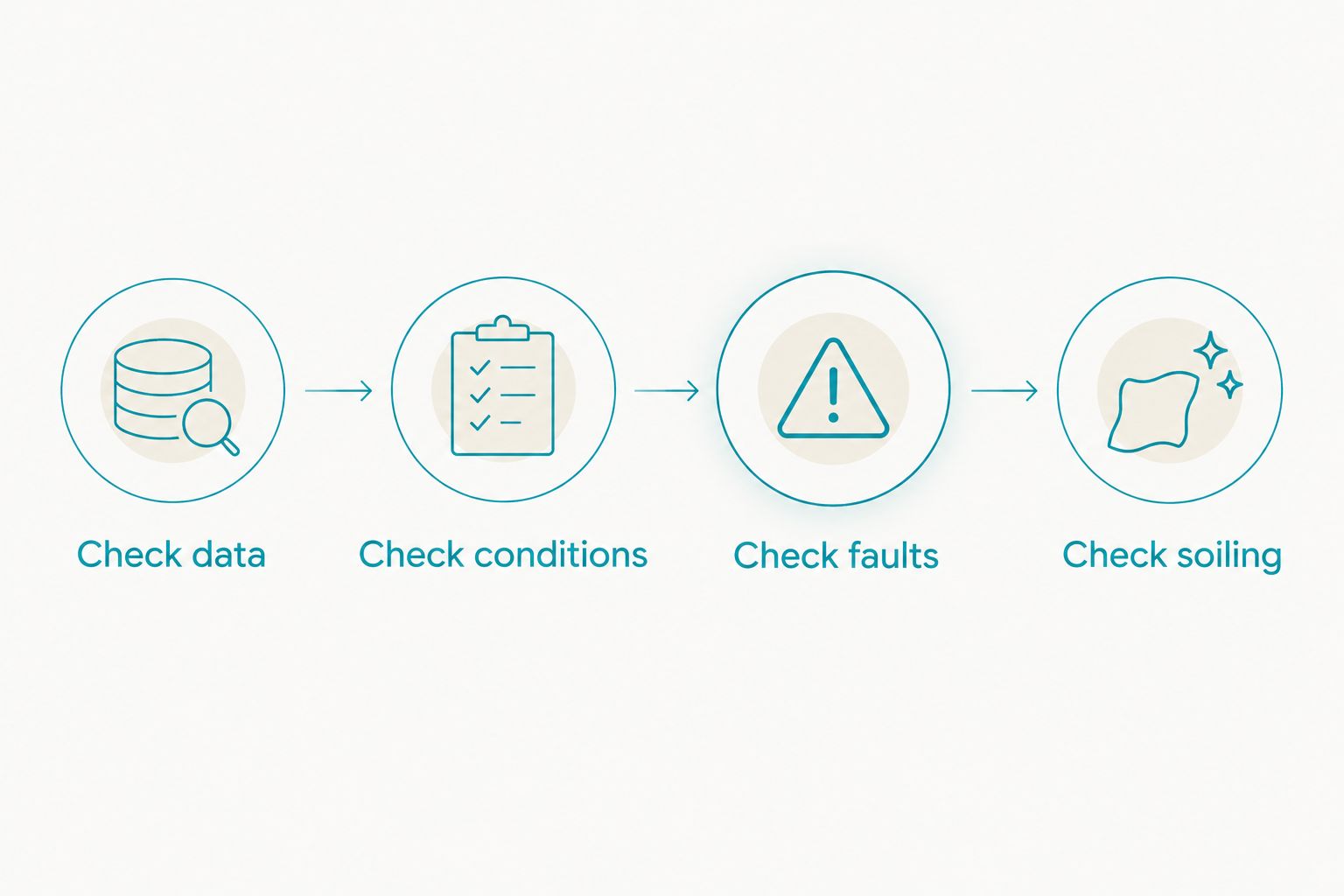
- Check data. Confirm the app has received recent readings. A stale graph is not evidence of dirty panels.
- Check conditions. Look for clouds, changed shade or other differences between the days you are comparing. Do not use a single low-production day as your cleaning trigger.
- Check faults. Review active equipment or communication alerts. Send unexplained shutdowns, missing equipment or persistent faults to your installer before treating the issue as cleaning.
- Check soiling. Look for visible deposits from a safe position. Combine that observation with the production history and the manufacturer’s maintenance guidance.
Expected result: You can choose a next action: keep monitoring, ask the installer to investigate, or request a cleaning assessment.
Coastal salt film around Santa Barbara and hillside dust around Ojai are relevant inspection notes. They are not automatic proof of a production loss. Record what you can actually see rather than assigning a percentage to it.
Rain also needs context. The question is not simply whether it rained, but what remains afterward. The guide to whether rain replaces professional solar panel cleaning addresses that maintenance decision.
Do not set an arbitrary percentage-drop rule that books cleaning automatically. Without accounting for weather, season and system behavior, the same number can describe very different problems.
Service record
Close the loop after cleaning
- Before booking, share the panel location, visible condition and relevant monitoring notes. Tell the provider about known access restrictions and ask how the proposed method follows the manufacturer’s guidance.
- Keep electrical diagnosis separate from cleaning. A cleaning appointment should not stand in for an installer’s assessment of an active system fault.
- Record the cleaning date and observations. For an appointment in 2026, use the full date rather than a vague note such as cleaned recently.
- Compare subsequent production under similar conditions. Note weather differences instead of attributing every change to the service.
Expected result: Your maintenance record shows what happened and when, without claiming that cleaning caused an unverified performance change.
Lavarecleans provides solar panel cleaning with a local crew and a promise to return and make it right if you are unhappy. The practical benefit is help with physical cleaning; the limitation is equally important: cleaning is not an electrical diagnosis, and this workflow does not predict an energy gain.
Variant: review after an alert or dust event
A weekly review is the default routine. An event-triggered review adds a second path when the system reports a problem or you notice a change around the property.
After wind carries visible dust onto an Ojai property, for example, inspect safely and annotate the log. This is an illustrative situation, not a report of a customer job. Review the next comparable production readings before deciding that a service appointment is justified.
If your app supports relevant notifications, enable only those you understand. Compare solar monitoring apps for homeowners by whether they distinguish generation from consumption and make historical production easy to review; those functions support this workflow more directly than an attractive dashboard.
Keep any notification linked to a review task, not a cleaning order. You still need to check the meaning of the alert, the operating conditions and the panel condition.
For your 2026 record, keep event reviews in the same log as weekly reviews. Otherwise, you lose the context that explains why you inspected or booked work between reminders.
Troubleshooting
The app shows a sudden drop or no production
First establish whether the reading is current and whether the system is reporting a fault. Follow the installer’s instructions for checking status; do not open electrical equipment or attempt roof access.
If the app reports an equipment problem, contact the installer. A sudden drop is a diagnostic question before it is a cleaning question.
Grid export falls, but generation looks normal
Review household consumption and battery activity where those measurements are available. More electricity used at home can leave less to export even when the panels are generating normally.
Change the review metric back to solar generation. Do not book cleaning based only on a lower export total.
The app provides only whole-system totals
Use the data the app provides; do not invent panel-level conclusions from an aggregate graph. Record safely visible deposits separately and ask your installer whether more detailed monitoring is available for your system.
Whole-system monitoring still supports a maintenance log. Its limitation is that it does not isolate which individual panel needs attention.
Production does not rise after cleaning
Check whether the comparison days had similar weather and sunlight conditions. Review any existing shade or equipment concerns, and keep the service date in the record.
Do not assume the cleaning failed simply because the next day’s total is lower. Equally, do not credit cleaning for a rise that coincides with clearer skies.
Visible deposits remain, but the graph looks normal
Use the manufacturer’s cleaning guidance and request an assessment of the deposits. A stable whole-system graph does not describe every part of the glass surface.
Explain what you see and where it is located. Leave decisions about safe access and cleaning methods to the provider rather than attempting a roof inspection yourself.
Customize your workflow
Keep separate maintenance records for solar panels and windows. They share exposure to dust and coastal air, but window appearance is not a solar-performance measurement. You can discuss both services during a quote without assuming they need the same schedule.
Ask Lavarecleans about solar panel cleaning alongside year-round window cleaning. Seasonal gutter work and holiday lighting can remain separate calendar tasks; neither should determine when your monitoring record calls for a panel inspection.
Request a free in-person quote when your checks point toward physical cleaning. Share the log as context, not as proof of a promised energy recovery.
Request an in-person quote
Discuss solar panel cleaning and window cleaning for your home.
FAQ
How do I know when to clean solar panels based on monitoring app data?
Review production alongside weather, shade, alerts and visible soiling before scheduling cleaning. A production dip alone does not identify dirt as the cause.
What percentage drop means my solar panels need cleaning?
No universal percentage drop establishes that panels need cleaning. Weather, season, shading and equipment behavior must be considered before assigning a decline to soiling.
Should I use daily energy or live power readings?
Use daily energy totals for this maintenance log, with weather and seasonal context. A live power reading is a snapshot and should not be compared directly with a daily energy total.
Can my solar app automatically book a cleaning appointment?
Keep booking approval manual in this workflow. An alert should trigger a review because the underlying issue could require an installer rather than a cleaner.
Should I clean the panels after every dusty day?
A dusty day should prompt observation, not an automatic cleaning appointment. Check visible buildup, comparable production readings and the manufacturer’s maintenance guidance.
Does rain reset my solar panel cleaning schedule?
Rain should not automatically reset your maintenance record. Inspect safely afterward and decide based on remaining deposits and the system’s maintenance guidance.
Can I request solar panel and window cleaning together?
You can discuss both services with Lavarecleans when requesting a free in-person quote. Confirm the scope and scheduling during the assessment rather than assuming both surfaces need cleaning at the same interval.
One last thing
The most useful maintenance note is often why you did not book cleaning. A record that says cloudy conditions, no visible change, continue monitoring prevents the same low-production day from becoming a fresh concern at every review.
Keep that decision beside the graph. Your schedule should reflect the condition of the home and the system—not the anxiety of watching a number move.